Find something good.
Explore GitHub-hosted agent skills and independently made Mac apps in a familiar, focused interface.
A new home for better tools.
GitHub is a treasure trove. Kitsail makes it feel like a beautiful, organized part of your Mac.
Explore AI agent skills. Discover independent Mac apps. Inspect before you install. All without leaving a native macOS experience.
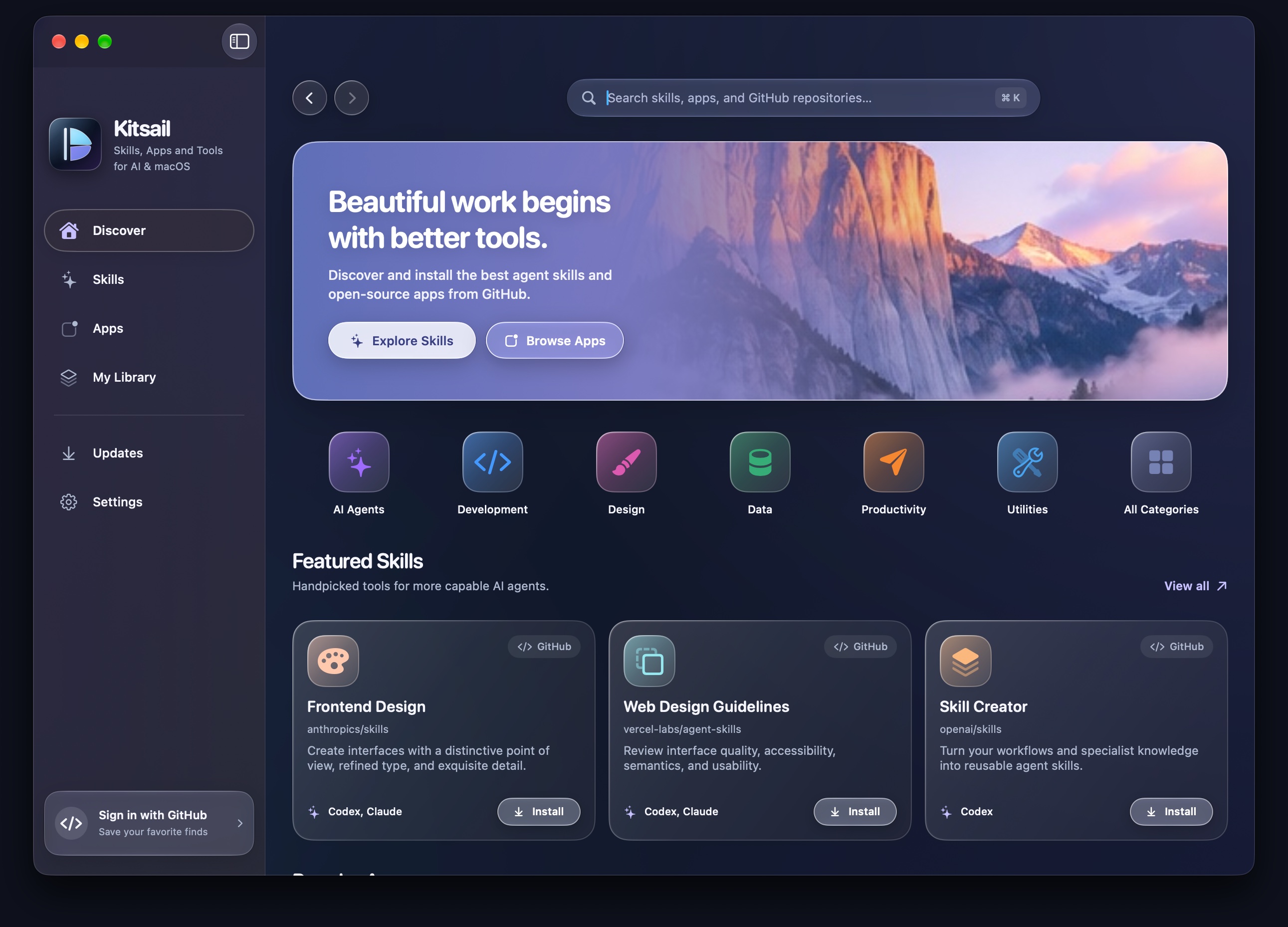
One good place for the things that make your Mac better.
The idea behind Kitsail
You shouldn't need a maze of repositories, terminal commands, and forgotten bookmarks to find your next favorite tool.
Explore GitHub-hosted agent skills and independently made Mac apps in a familiar, focused interface.
See repository details and inspect a skill's files before approving installation. No silent install scripts.
Install compatible skills, inspect Mac app releases, and save your discoveries for later.
Designed for macOS
Soft edges, clear choices, and a marketplace that feels like it belongs on your desktop.
Featured skills, Mac apps, and a place to start exploring.
One thoughtfully designed Mac companion, whether you're building with Codex, exploring skills for Claude, or looking for your next indispensable open-source app.
Explore public GitHub projects immediately. Connect your account only if you choose.
Review files and install into supported agent directories with explicit approval.
A menu-bar companion, saved library, and automatic system appearance support.
 Independent by design
Kitsail Early Access
Download the native Apple Silicon app. No account required to browse.
Download KitsailVersion 0.5.0 · Apple Silicon · macOS 27+ · DMG for macOS
Verify the download
Compare this SHA-256 checksum to the DMG you downloaded.
Loading release checksum…
Before you install: Kitsail is currently ad-hoc signed and not notarized by Apple. macOS may block this early-access build. Only proceed if you trust its source and checksum. After attempting to open it, use System Settings → Privacy & Security → Open Anyway. Never disable Gatekeeper. Read Apple's instructions.
Good to know
Not yet. This is an independently distributed early-access build. Developer ID signing and Apple notarization are planned for a future release.
No. You can browse publicly available GitHub repositories without signing in. GitHub sign-in is optional.
Its installer copies reviewed skill files without executing install scripts. However, AI agents may later act on instructions within those files. Review sources and keep your agent permissions limited.
The current development build targets Apple Silicon and macOS 27 or later. Intel Macs and older versions haven't been validated.
Open the DMG, drag Kitsail to Applications, and eject the disk image. If macOS blocks the unnotarized app, follow the official security instructions linked above.